AI staging that keeps the original room layout
Ask a general AI image tool to "add furniture to this room" and it often hands back a different room: a moved window, a new floor, a wall that wasn’t there. For a listing, that is a problem. RoomGenix is built to place furniture into the photo you shot and leave the room itself alone.
Why layout matters in a listing photo
A listing photo is a record of the property. If a staged image shows a larger window, a different floor or an extra wall, the buyer who tours the home will notice, and the agent who published it may be breaking MLS rules about misrepresenting a property. Furniture is the part that is understood to be illustrative. The room is not.
That is the line RoomGenix is designed around. The structure of the photo, meaning walls, ceilings, windows, doors, flooring and what is visible outside, is meant to stay as it was. Furniture, rugs, lighting and décor are added on top.
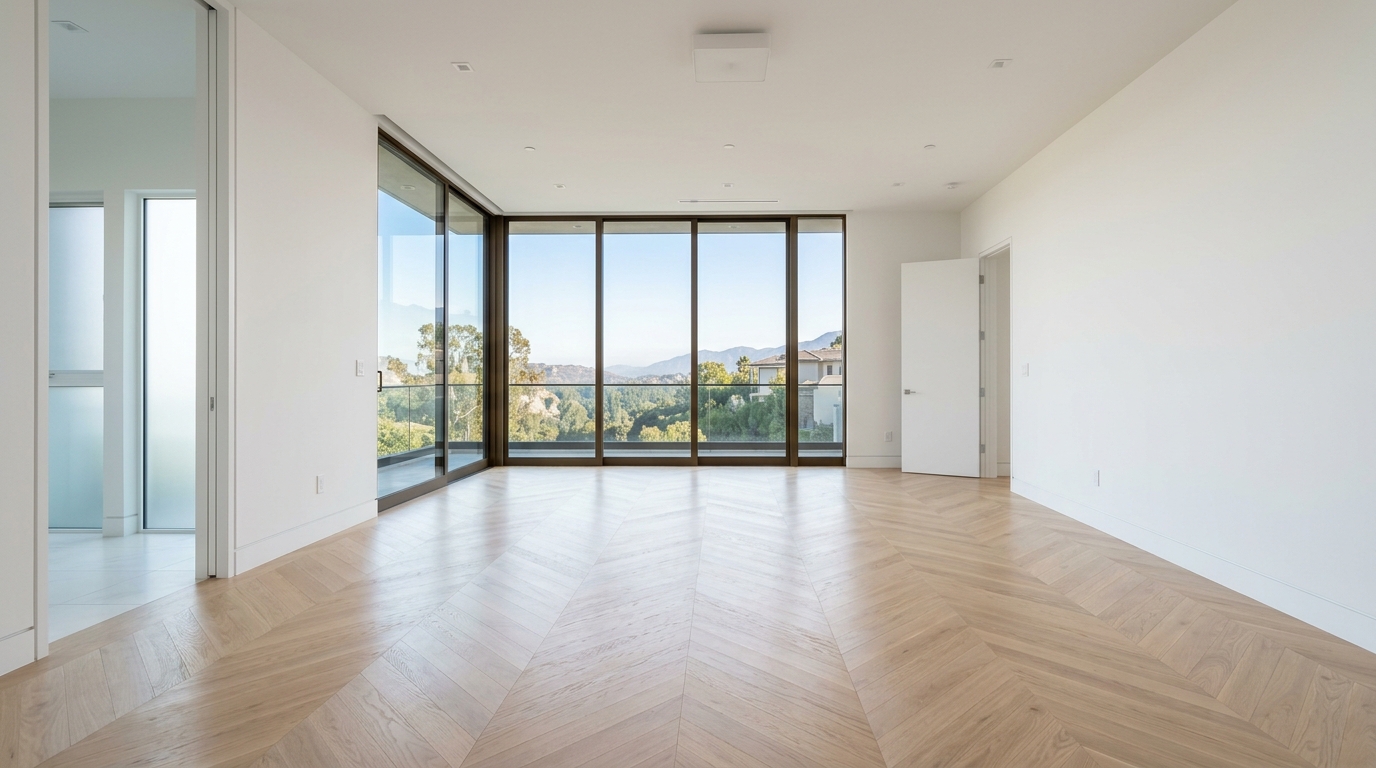
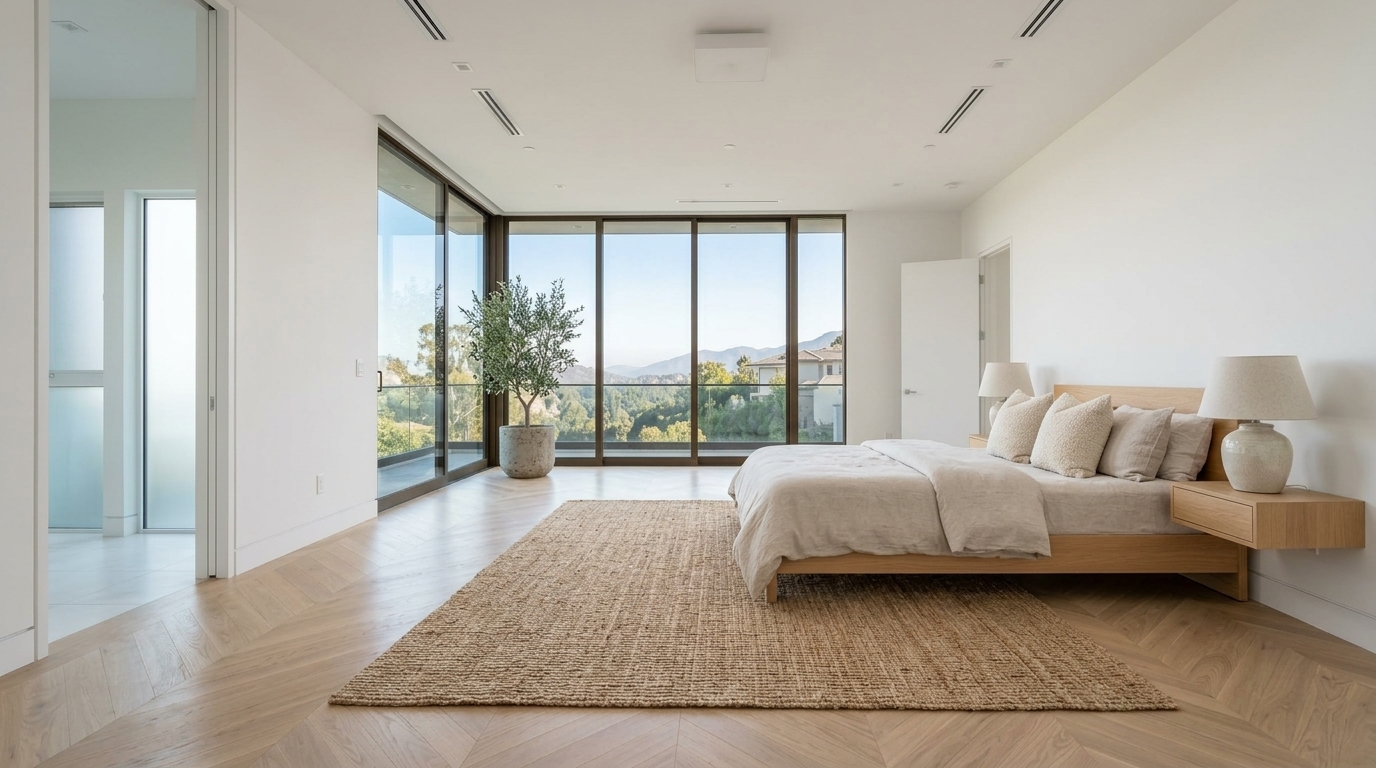
Studio examples, not a client listing.
What to look for in any staged photo
Whatever tool you use, compare the staged image with the original before publishing. Check:
- Windows and doors. Same number, same size, same position.
- Flooring. Same material and color, no new rugs painted into the floor itself.
- Walls and ceiling. No added or removed walls, beams or lights.
- The view. What is outside the window should not change.
- Scale. Furniture should look a believable size for the room, so it doesn't make the space look bigger than it is.
If a result fails any of these, run it again. Don't publish a photo that changes the property.
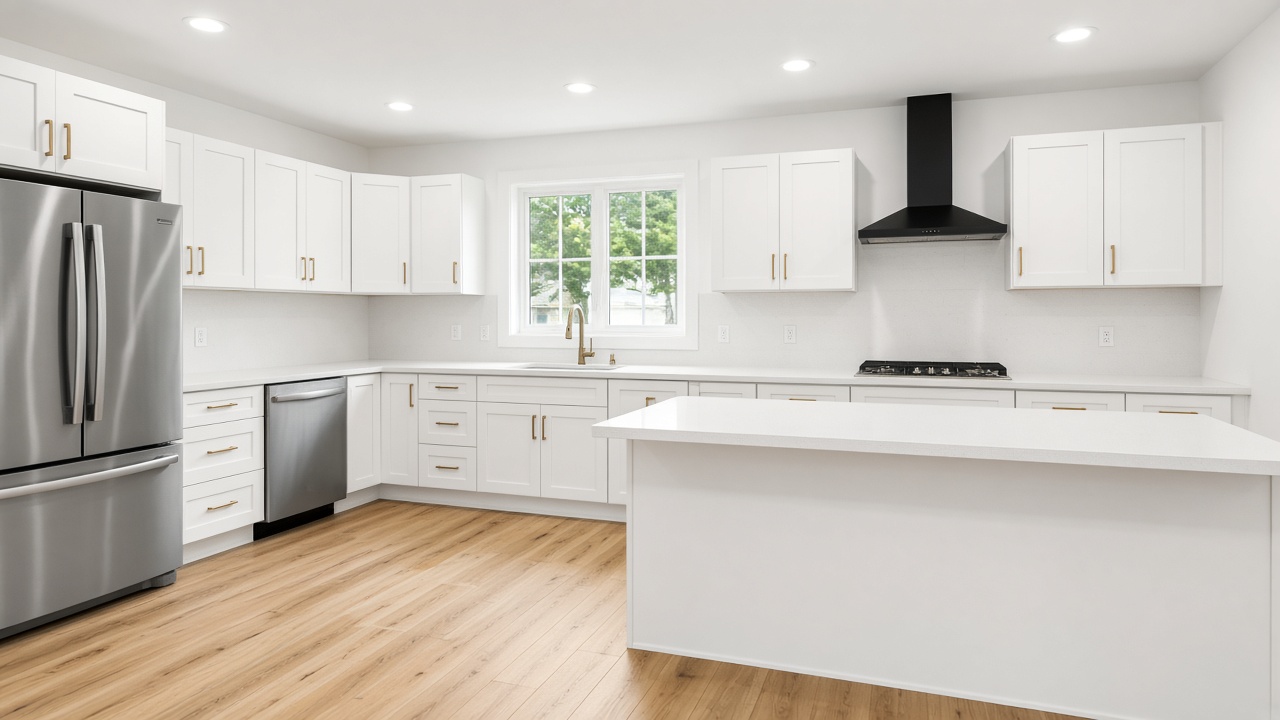
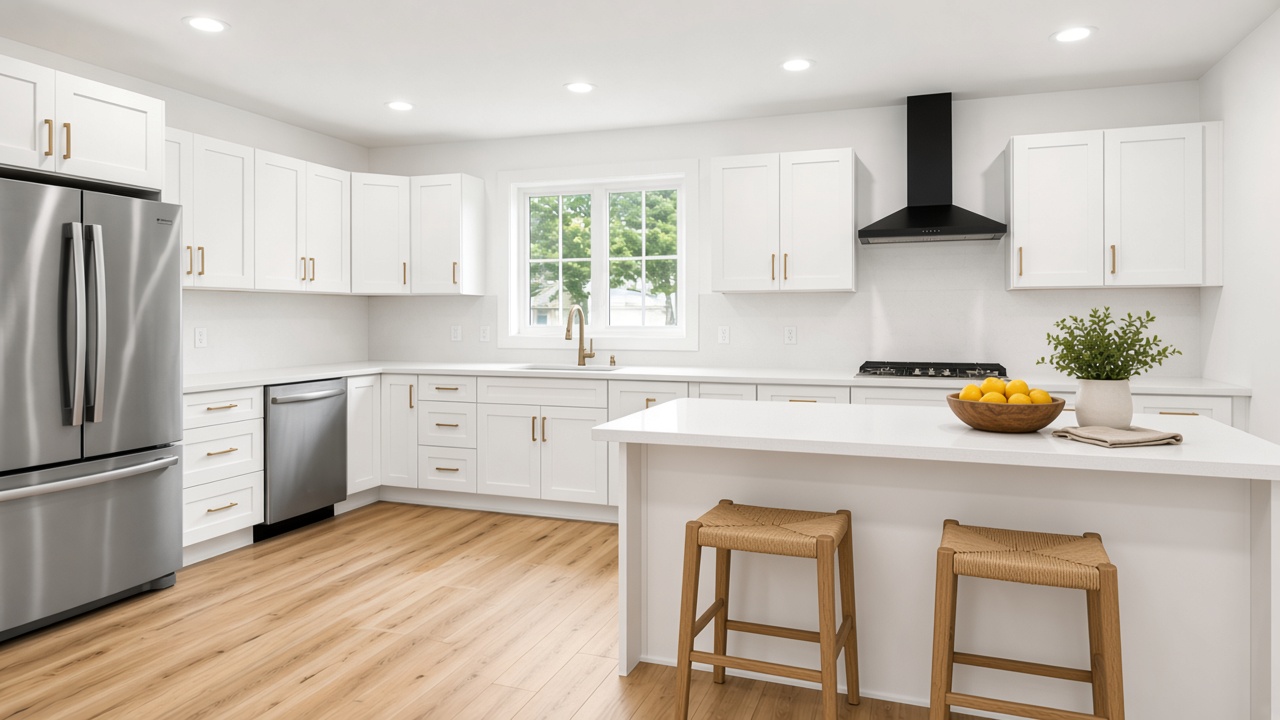
Studio examples, not a client listing.
One room, several styles
Because the room stays fixed, you can try several looks on the same photo and pick the one that suits the home and its likely buyer. The living room below is the same photo staged in three styles.
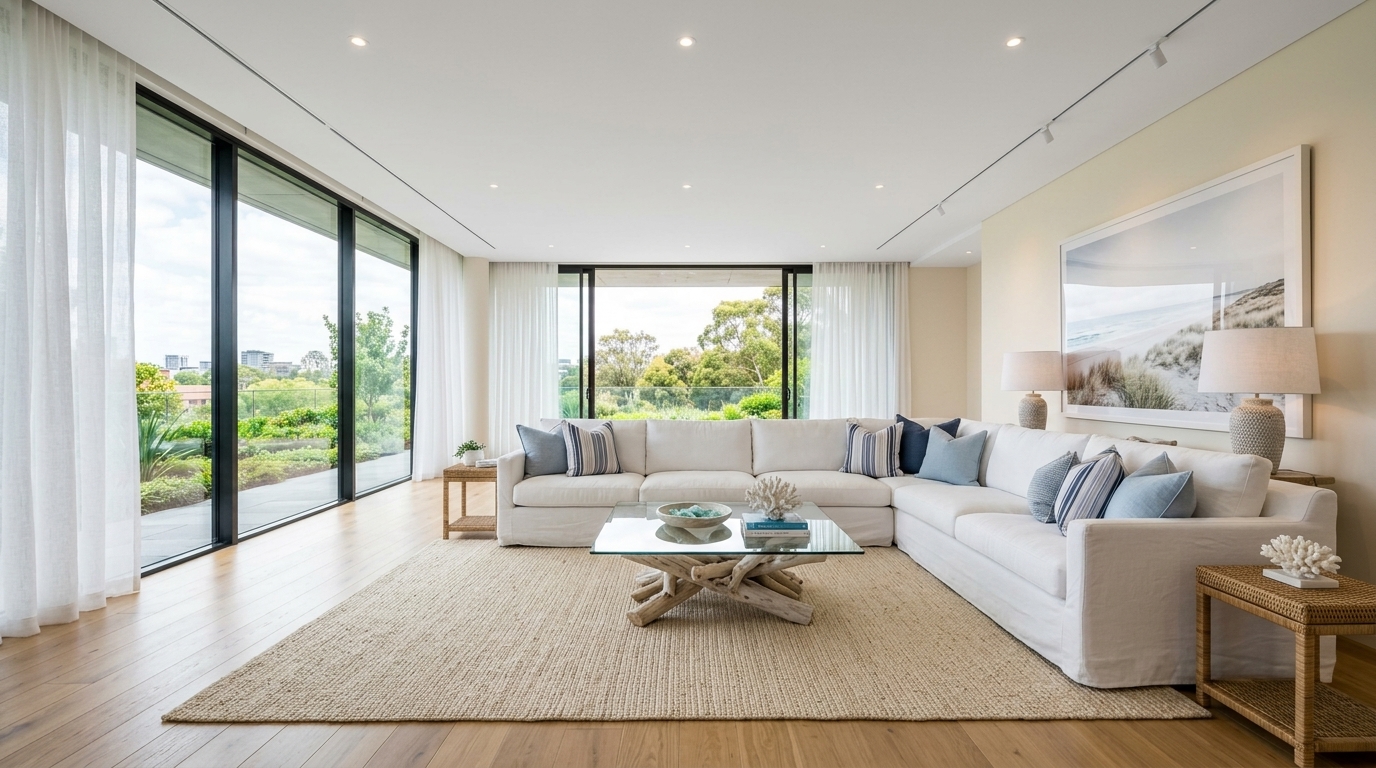
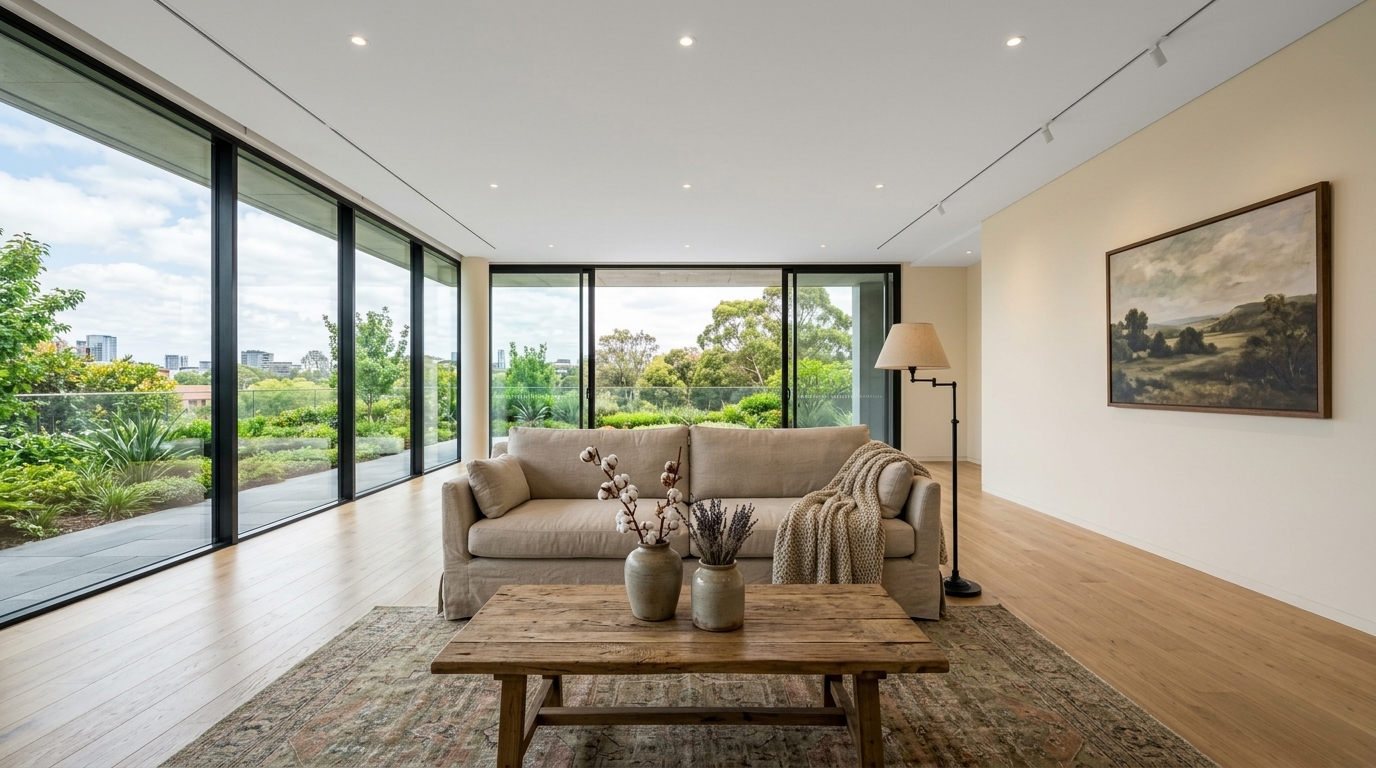
Studio examples, not a client listing.
How RoomGenix is different from a chat app
General chat and image apps are built to make a pleasing picture, not to preserve one. They often regenerate the whole frame, and small changes add up. RoomGenix is a single-purpose studio: you upload a listing photo, choose a room type and style, and get back the same room with furniture. See vs. ChatGPT for a side-by-side.
Try it on a hard photo
The best test is one of your own: a room with a big window, an unusual floor or a view. A new account gets 3 watermarked previews without a card, then photos start at $2.99 each or $19 for 8.
Photos that stage well
The cleaner the input, the easier it is for any tool to keep the room intact. Wide, level shots with even light and a visible floor give the best results. Very dark rooms, extreme fisheye lenses and photos with lots of reflections are harder. If a room has an unusual feature, such as a sloped ceiling, a fireplace or built-in shelving, check that it survives in the staged version exactly as shot.
Keep the before and after together
Because the room is unchanged, the original and the staged version line up. That makes it easy to show both in the listing, which many MLSs require and which buyers appreciate: they see the furnished idea and the real empty room side by side. It also protects you if anyone later asks what the property looked like.
Questions
Does RoomGenix change the walls or windows?
It is built to keep walls, windows, floors and the view as shot and only add furniture and décor. Always compare the result with the original.
Why do some AI tools change the room?
General image models often regenerate the whole picture, which can move windows, change flooring or add walls.
Can I try different styles on the same photo?
Yes. Run the same photo in coastal, Scandinavian, farmhouse or other styles and keep the one you like.
What should I do if a result changes the room?
Run it again and don’t publish it. A listing photo should never misrepresent the property.