Virtual staging for vacant listings
An empty room photographs as a box. Buyers scrolling a listing on a phone see bare floor and white walls, and it is hard for them to judge scale or picture how the space would be used. RoomGenix adds furniture to the photo you already have, and keeps the room itself as it was shot.
Why empty rooms are hard to sell online
Most buyers meet a home through its photos before they ever book a showing. In a vacant home, those photos have nothing in them to show size or purpose. Is the second bedroom big enough for a queen bed? Where does the dining table go in an open plan? A furnished photo answers those questions at a glance. An empty one leaves the buyer to guess, and many simply scroll on.
Physical staging solves this, but it means a stager, a truck, rented furniture, and a monthly fee while the home is on the market. For a lot of vacant listings, especially entry-level homes, rentals coming back to market, and estate sales, that cost is hard to justify. Virtual staging gives you furnished photos without moving anything into the house.
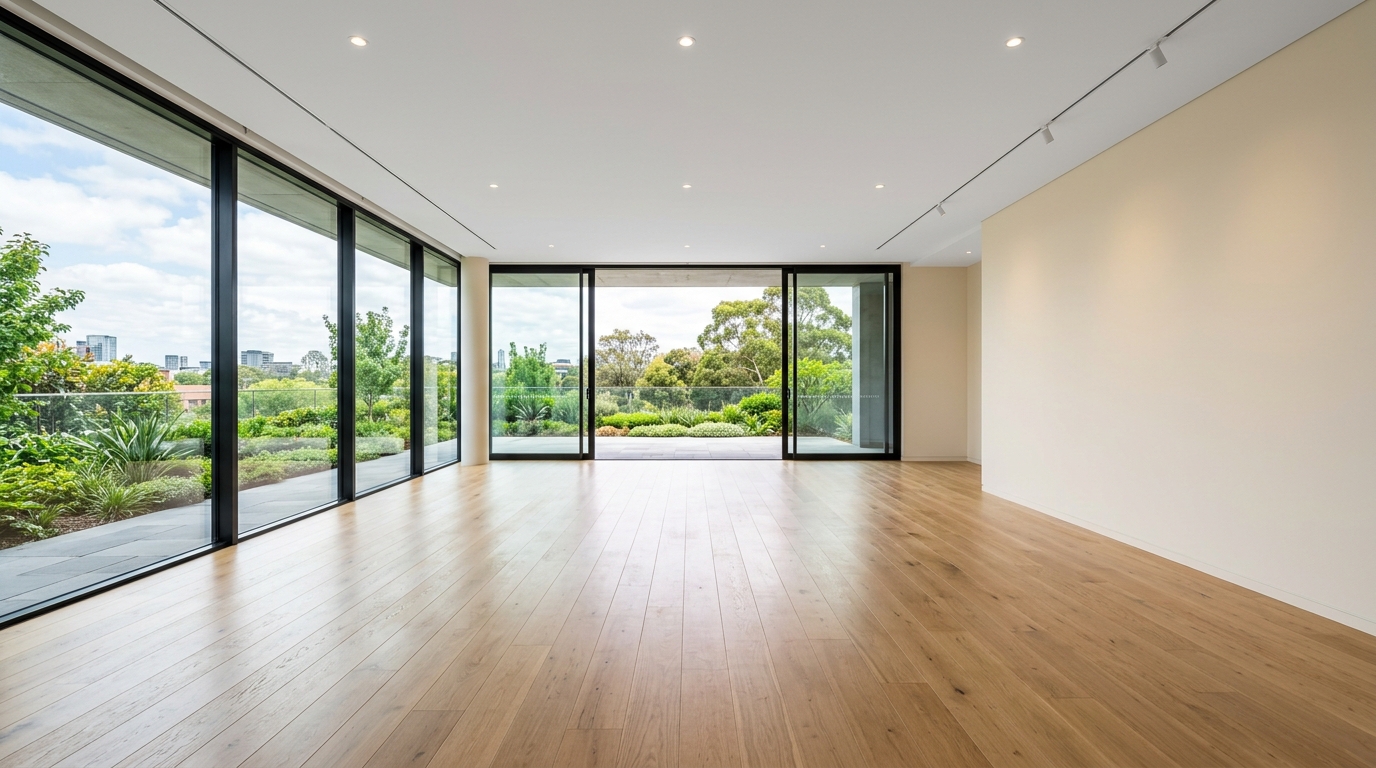
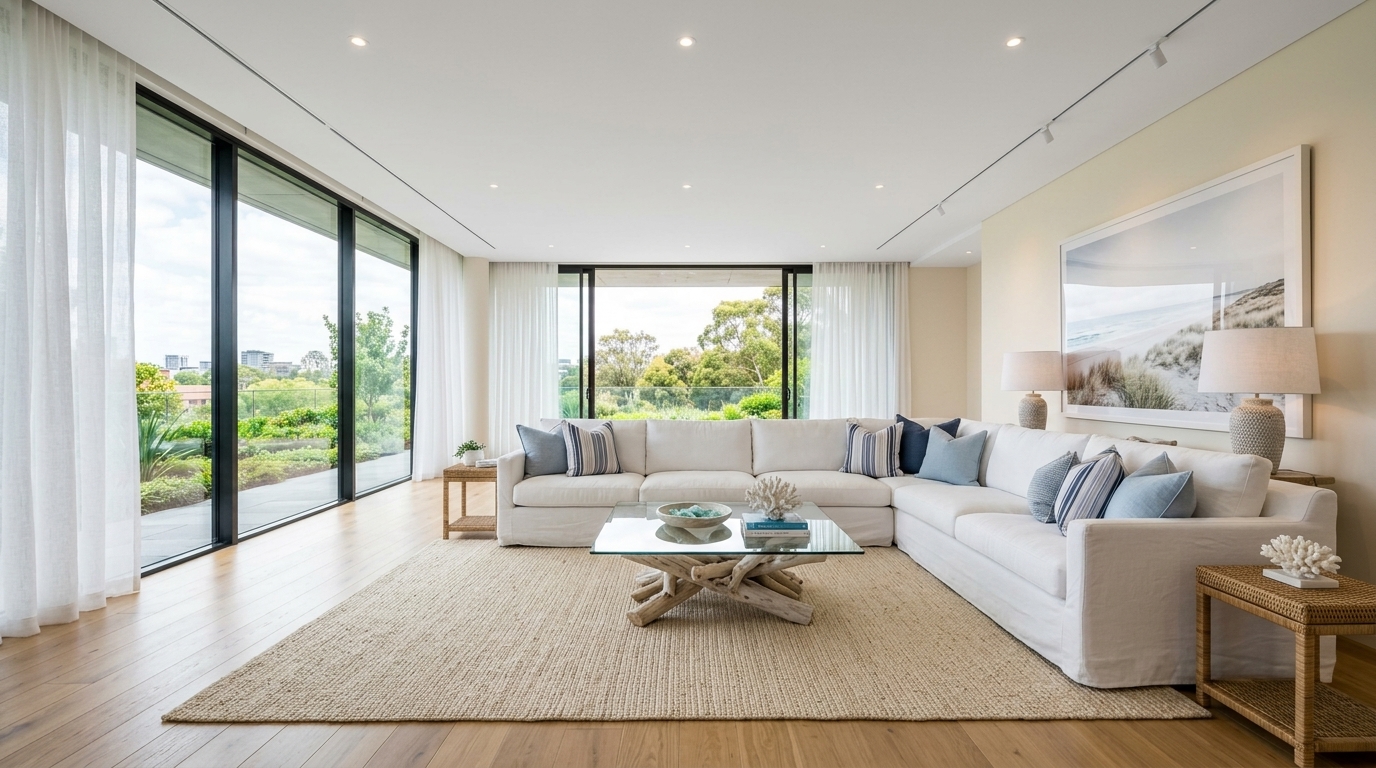
Studio examples, not a client listing.
How it works
- Upload the photo. Use the listing photo you already have. A wide, level shot taken in good light works best.
- Pick the room and a style. Living room, bedroom, dining, office and more, in styles such as coastal, Scandinavian or farmhouse.
- Download the staged photo. It is usually ready in a minute or two. If you don't like it, run it again or try another style.
The studio is built to place furniture into the existing photo rather than redraw the room. Walls, windows, flooring and the view outside are meant to stay as shot, so the staged photo still matches what a buyer will see when they walk in. Look at each result before you publish it, as you would any edit.
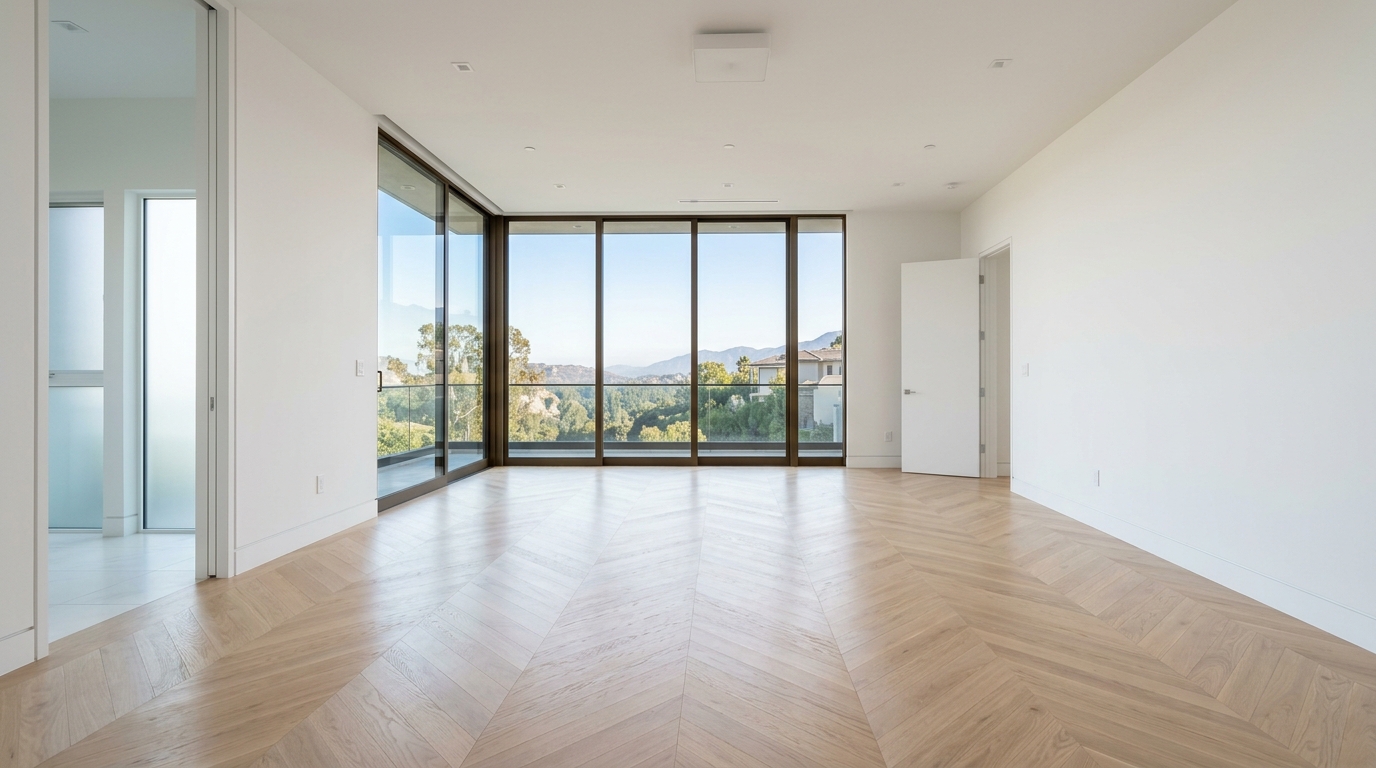
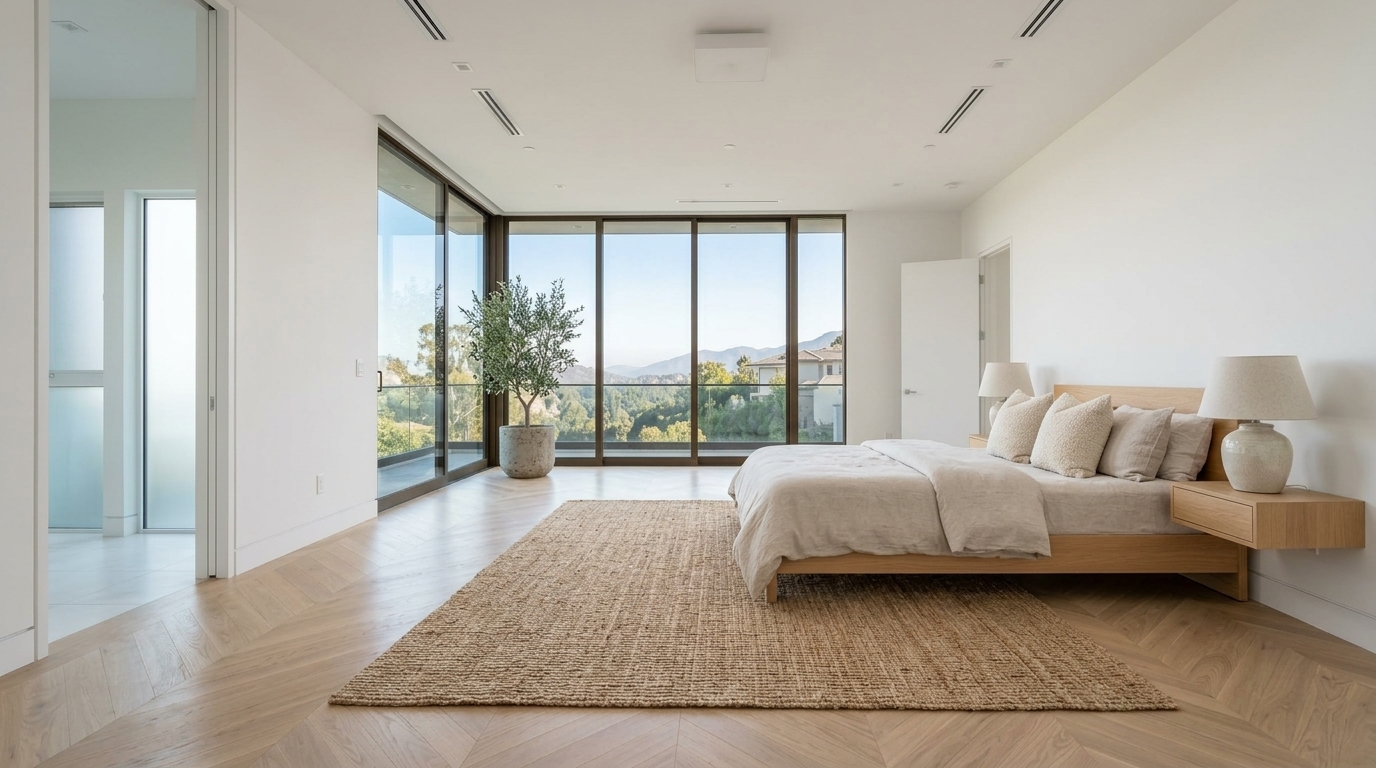
Studio examples, not a client listing.
Which rooms to stage
You rarely need to stage every photo. Focus on the rooms that set the tone and the ones that are hardest to read when empty:
- The main living area. Usually the first or second photo in the listing, so it does the most work.
- The primary bedroom. A bed shows the room's scale instantly.
- Dining areas in open plans. A table defines where one zone ends and the next begins.
- Odd or small rooms. A desk turns an awkward nook into a home office.
For a typical listing that means 4 to 8 photos, which is why the Listing pass covers 8.
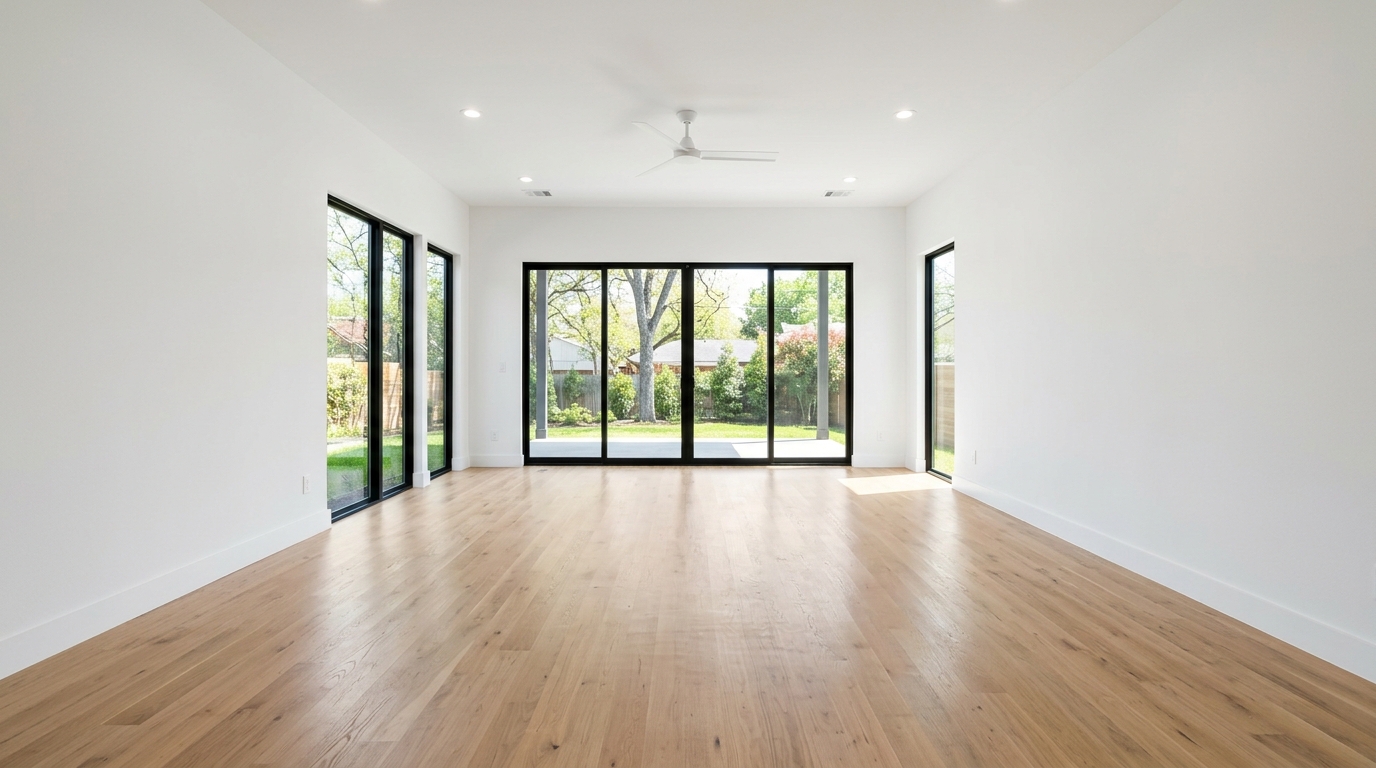
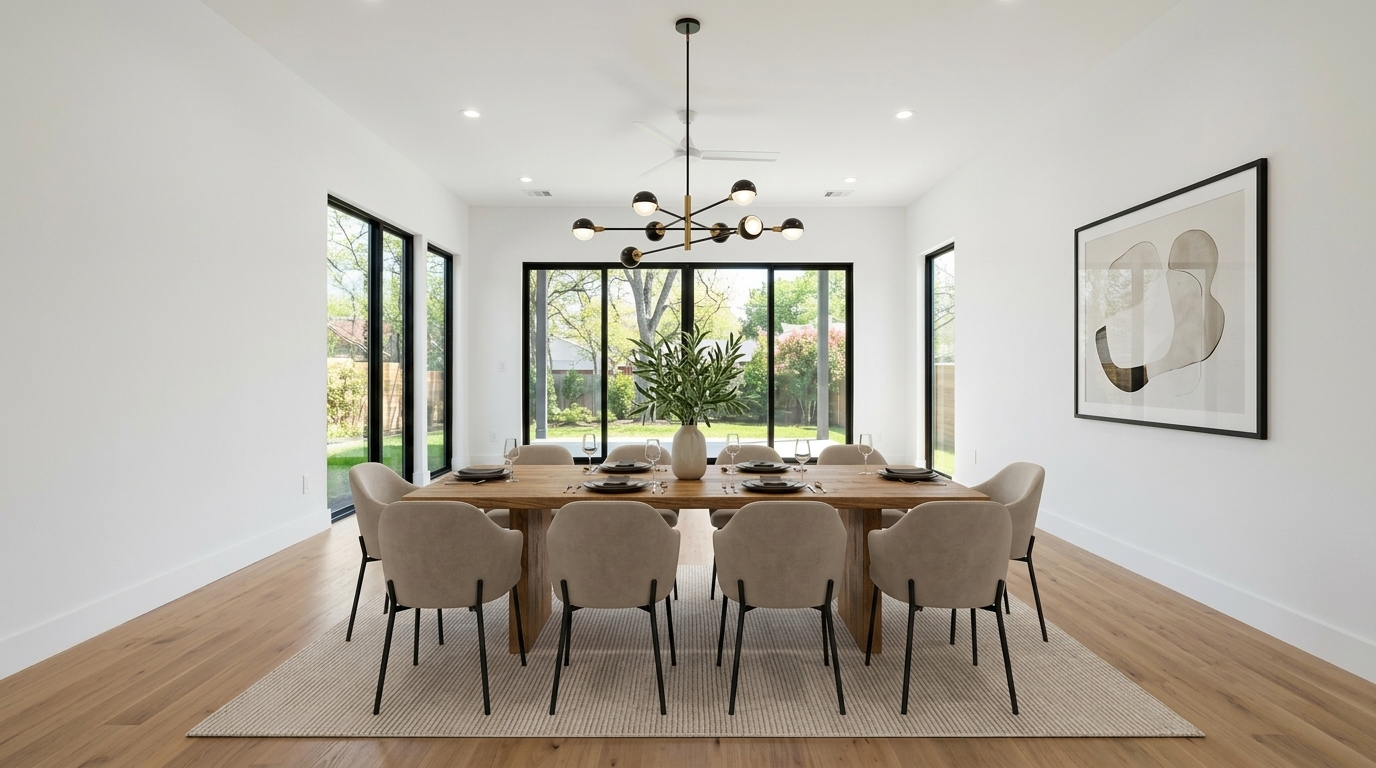
Studio examples, not a client listing.
What it costs
A new account gets 3 watermarked previews with no card, so you can check the result on your own photos first. After that, photos are $2.99 each, or less in a pack: $19 for 8 photos (one listing), $49 for 25, or $99 for 60. There is no subscription and credits don't expire. See pricing for the current list.
Disclosure
Virtually staged photos should be labeled as such wherever your MLS or state requires it, and many MLSs also ask you to include the unstaged original. RoomGenix does not print a label on the file, so add it in the listing. The MLS photo rules page is a reminder, not legal advice.
Questions
How long does it take to stage a vacant listing photo?
A photo is usually ready in a minute or two after you upload it.
Will the walls, windows or floors change?
The studio is built to add furniture to the photo you uploaded and keep the walls, windows and floors as shot. Check every result before publishing.
How many photos of a vacant listing should I stage?
Usually 4 to 8: the main living area, the primary bedroom, the dining area and any room that is hard to read when empty.
Can I try it before paying?
Yes. A new account gets 3 watermarked previews without a card.
Do I need to disclose virtual staging?
Many MLSs and some states require virtually staged photos to be labeled, and some also require the original photo. Check your local rules before the listing goes live.