Virtual staging for home offices
Plenty of buyers now ask the same question about every spare room: could I work in here? An empty room with a window and a closet doesn't answer it. RoomGenix adds a desk, chair and shelving to the photo you already took, so the room reads as a working office while the room itself stays as it was shot.
Why stage a room as an office
Many people who work from home, full time or a few days a week, want a door they can close. When they scroll a listing, they look for a room that could do that job. A bare spare room leaves it to their imagination, and most people are not good at furnishing a room in their head from a single wide photo.
A desk is a quick way to show scale. Buyers know roughly how big a desk and an office chair are, so seeing one in the frame tells them whether the room fits a real workspace with space left for a bookcase. It also gives a small or awkward room a clear purpose, which is often better than showing it as a cramped extra bedroom.
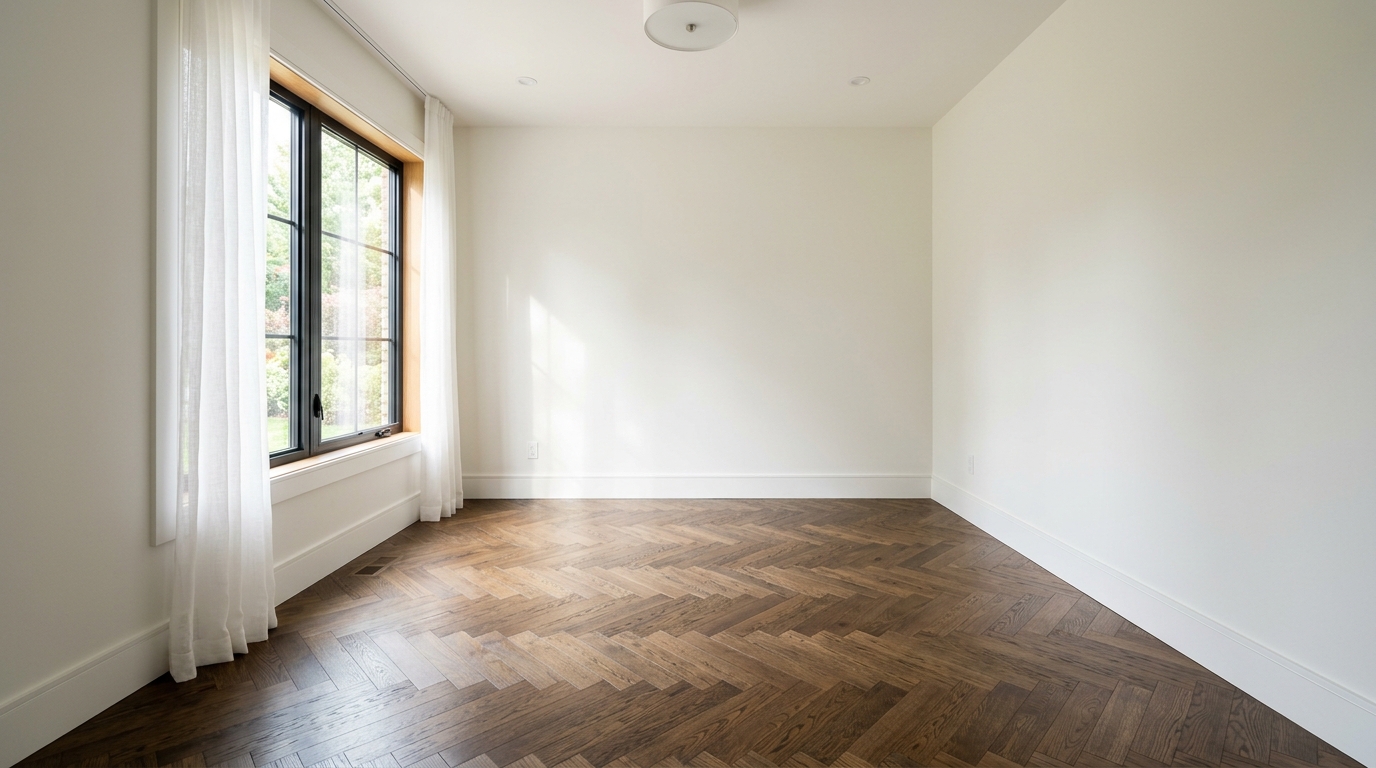
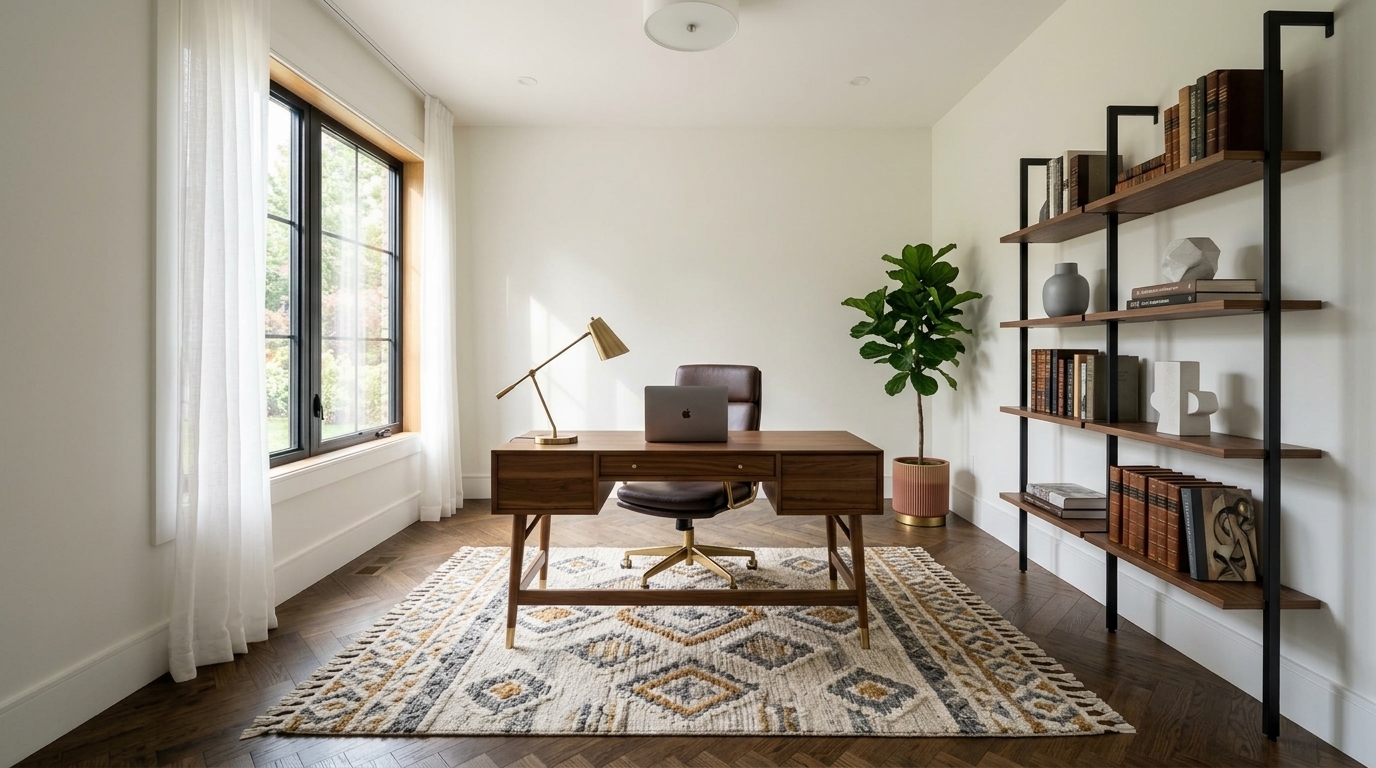
Studio examples, not a client listing.
Office or bedroom: which should it be?
Stage the room as whatever the listing calls it. If the description counts it as a bedroom, buyers expect to see that a bed fits, so the bedroom room type is usually the better choice. If it is a den, a study or a room that doesn't meet the local definition of a bedroom, an office is the honest way to show it off.
If a home has several spare bedrooms, a common approach is to stage the primary and one secondary room as bedrooms and one smaller room as an office. That shows buyers both options without changing what the listing says about the house.
How to stage an office photo
- Upload the photo. Pick the listing photo of the empty room. A shot from a doorway or corner at about chest height, with the lights on and the blinds open, gives the studio the most floor and wall to work with.
- Pick Stage, then Office. The studio offers living room, bedroom, dining and office as room types.
- Pick a style. The studio lists modern, Scandinavian, farmhouse, coastal, luxury, mid-century and traditional, but a style only appears when the office room type has its own example for it, so you may see fewer choices here than for a living room.
- Review and download. A result is usually ready in a minute or two. If the desk lands in an odd spot, such as in front of a door, run it again or try another style.
The studio is built to add furniture to the existing photo rather than redraw the room, so walls, windows, flooring and the view outside are meant to stay as shot. Check every result before you publish it, as you would any other photo edit.
What makes an office photo work
- Light. A desk near or facing a window reads as a pleasant place to work. Photograph the room in daylight with the blinds open.
- Clear walkway. Leave space between the door and the desk in your framing so the staged room doesn't look crowded.
- Show the closet or built-ins if they exist. Storage is part of what makes a room useful as an office. Staging should never add storage that isn't there.
- One style per listing. Try to keep the office in line with the rest of the staged rooms so the home looks like one house.
What it costs
A new account gets 3 watermarked previews with no card, so you can test your own spare-room photos first. After that, photos are $2.99 each, or less in a pack: $19 for 8 photos, $49 for 25, or $99 for 60. There is no subscription and credits don't expire. See pricing for the current list.
Keep it honest
Virtual staging shows how a room could be used. It should never hide a defect, make the room look bigger, or add a window, outlet or built-in that isn't there. Many MLSs and some states require virtually staged photos to be labeled, and some also want the unstaged original included. RoomGenix does not print a label on the file, so add it in the listing. The MLS photo rules page is a reminder, not legal advice.
Questions
Can I stage a spare bedroom as a home office?
Yes. Upload the photo, choose Stage, then the office room type. Just make sure it matches how the listing describes the room.
Will the windows or flooring change?
The studio is built to add furniture to the photo you uploaded and keep walls, windows and flooring as shot. Review every result before publishing it.
Which styles are available for an office?
A style appears only when the office room type has an example for it, so the list can be shorter than for a living room. Check the studio for the current options.
How much does it cost to stage one office photo?
A single photo is $2.99, and a new account gets 3 free watermarked previews first. Packs start at $19 for 8 photos.
Do I need to label a virtually staged office photo?
Many MLSs and some states require virtually staged photos to be labeled, and some also require the original. Check your local rules before the listing goes live.