Virtual staging for dining rooms
An empty dining room is hard to judge from a listing photo. Without a table, buyers cannot tell how many people the room seats or whether a normal dining set fits between the walls. RoomGenix adds a table and chairs to the photo you already took, so the room reads as a place to eat while the room itself stays as it was shot.
Why dining rooms are worth staging
Dining rooms are often open to a kitchen or living area and photographed wide. That makes scale even harder to read than in a closed bedroom. A table is the one piece every buyer already knows the size of, so putting one in the frame answers the question they ask before they book a showing: will our table fit, and how many chairs can we put around it?
It also helps the listing match the floor plan. If the description calls out a formal dining room or an eat-in area, a bare photo leaves that claim unsupported. A staged table, chairs and a simple centerpiece make the room's purpose obvious at a glance on the phone.
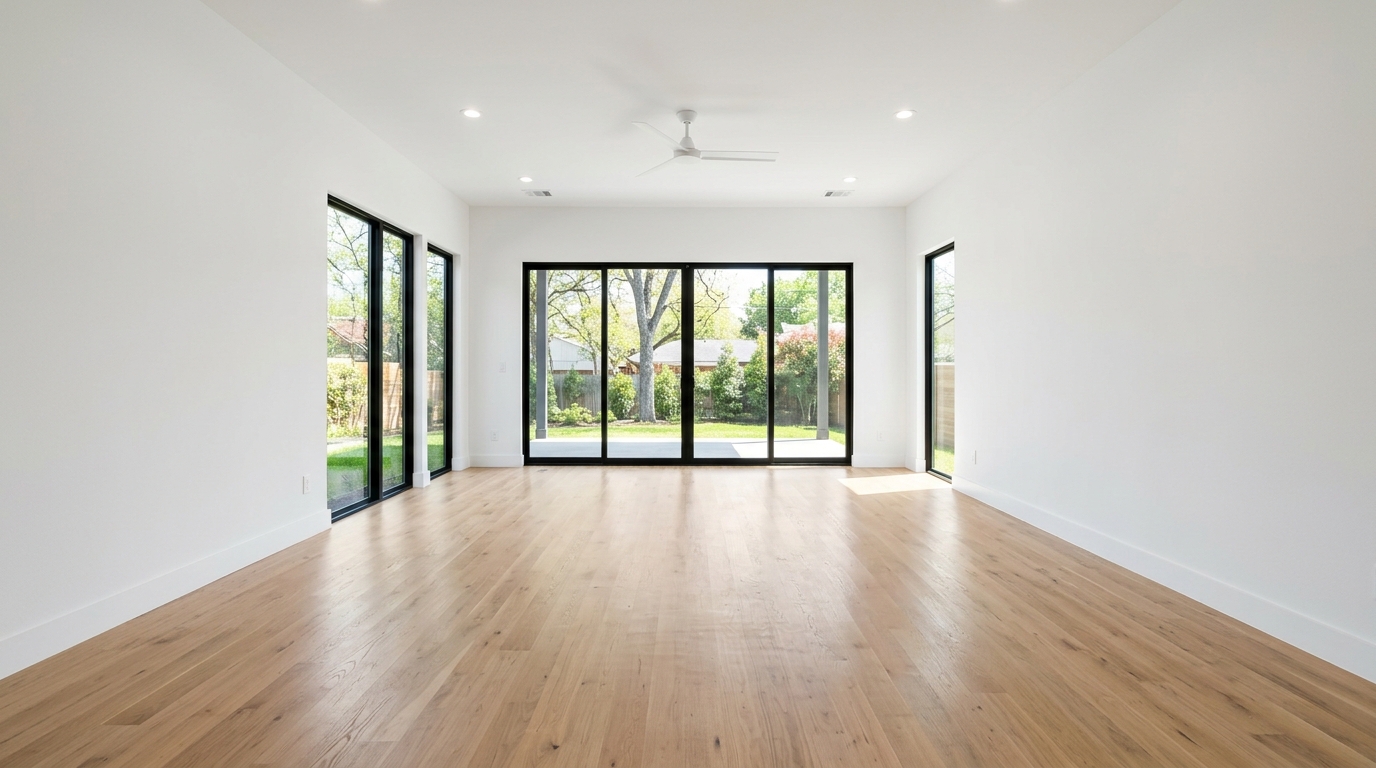
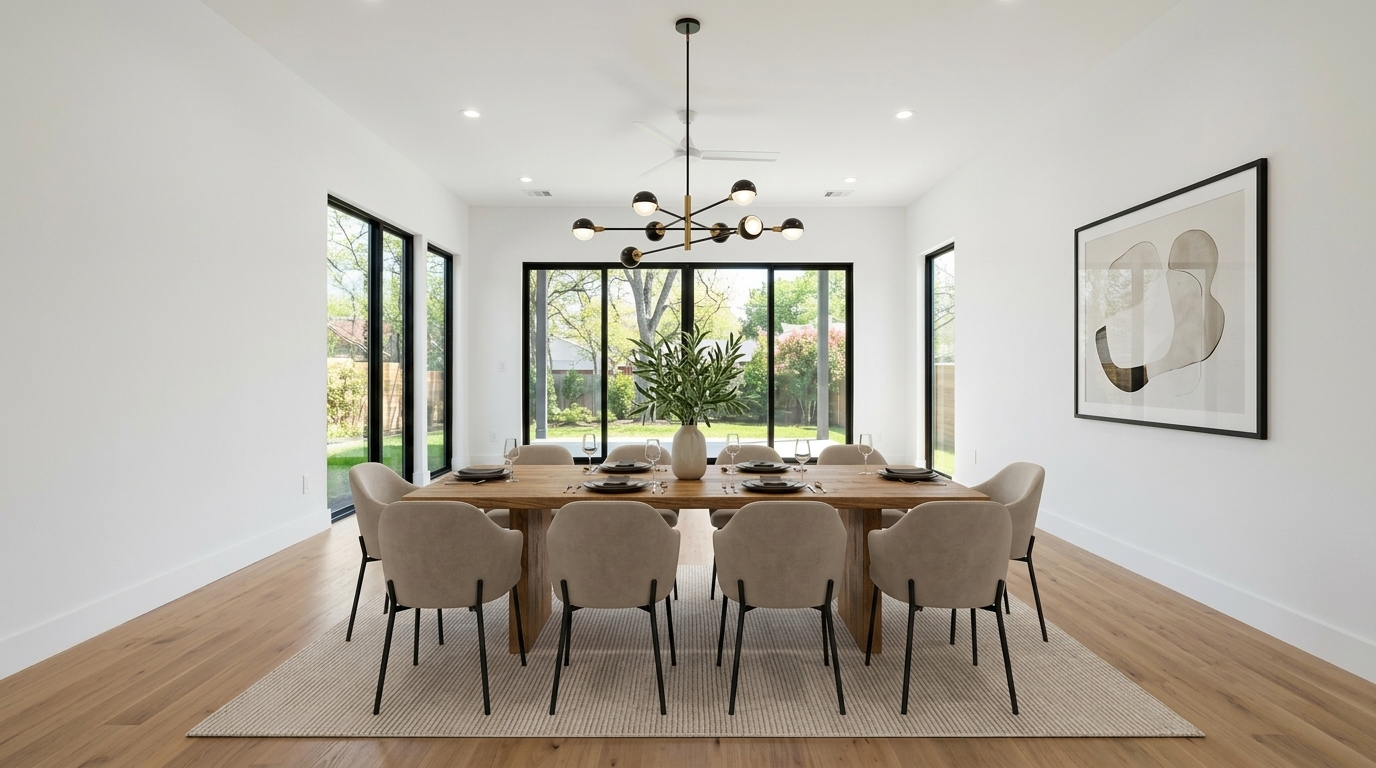
Studio examples, not a client listing.
How to stage a dining room photo
- Upload the photo. Choose the listing photo of the empty dining area. A shot from a doorway or corner at about chest height, with the lights on and any blinds open, gives the studio the most floor and wall to work with.
- Pick Stage, then Dining. The studio offers living room, bedroom, dining and office as room types.
- Pick a style. Options include modern, Scandinavian, farmhouse, coastal, luxury, mid-century and traditional. A style only appears when the dining room type has its own example for it, so the list can be shorter than for a living room.
- Review and download. A result is usually ready in a minute or two. If the table lands in front of a doorway or looks too large for the room, run it again or try another style.
The studio is built to add furniture to the existing photo rather than redraw the room, so walls, windows, flooring and the view outside are meant to stay as shot. Check every result before you publish it, the same way you would any other edit.
Formal dining vs eat-in kitchen
Stage the room as whatever the listing calls it. A separate dining room with a chandelier or a defined wall usually reads best with a full table and chairs. An open kitchen nook that the listing describes as eat-in may look better with fewer chairs so the walkway to the kitchen stays clear.
If the home has both a formal dining room and a breakfast area, stage the one the listing highlights first. Trying to fill every empty corner can make the floor plan look crowded on a phone screen. One clear dining photo is usually enough for buyers to understand the space.
What makes a dining photo work
- Show the floor around the table. Leave room in your framing so buyers can see walkways and how the table sits relative to walls and doorways.
- Match chair count to the room. A small room staged with eight chairs looks dishonest. Aim for a set that fits the footprint you photographed.
- Keep the style consistent. Match the dining set to the living room and kitchen finishes you already staged so the home looks like one house.
- Do not invent built-ins. Staging should not add a china cabinet, wine fridge or window that is not in the photo.
What it costs
A new account gets 3 watermarked previews with no card, so you can test your own dining photos first. After that, photos are $2.99 each, or less in a pack: $19 for 8 photos, $49 for 25, or $99 for 60. There is no subscription and credits don't expire. See pricing for the current list.
Keep it honest
Virtual staging shows how a room could be furnished. It should never hide a defect, change the size of the room, or add a window or built-in that isn't there. Many MLSs and some states require virtually staged photos to be labeled, and some also want the unstaged original included. RoomGenix does not print a label on the file, so add it in the listing. The MLS photo rules page is a reminder, not legal advice.
Questions
Can I virtually stage just one dining room photo?
Yes. You can stage a single photo for $2.99, and a new account gets 3 free watermarked previews to try first.
Will the dining room window or flooring change?
The studio is built to add furniture to the photo you uploaded and keep walls, windows and flooring as shot. Review every result before publishing it.
What dining styles are available?
Modern, Scandinavian, farmhouse, coastal, luxury, mid-century and traditional, where the dining room type has an example for that style.
Should I stage a formal dining room or an eat-in kitchen first?
Stage whichever space the listing describes as the main place to eat. One clear dining photo is usually enough.
Do I need to label a virtually staged dining photo?
Many MLSs and some states require virtually staged photos to be labeled, and some also require the original. Check your local rules before the listing goes live.